Apex is a health and training app for iPhone. It reads your Apple Health data and works out its own view of it — how recovered you are, how hard today can be, how you sleep, what your heart is doing — and keeps every workout you've ever recorded in an archive you browse like a photo library.
It records nothing. Your watch, your bike computer and your other apps already do that; Apex reads what they wrote, derives its own deterministic models from it, and explains them. Every number on screen comes from that engine — including the ones in the short note under the arc, which is written on your phone but can only point at values the app has measured.
And it stays honest about what it doesn't know. Missing data is left out, never held against you. A reading without enough history behind it isn't shown. When stress can't exist — asleep, moving, straight after a workout — the tile says why instead of showing a number.
unit tests across the engine, the scores and the wording
1,124
numbers written by the language model
0
languages — 2,479 strings in English, German and French
3
lines deleted in September, on purpose
5,600+
Direction Built wide first, narrowed to two tabs.
Apex was built wide first: a workout tracker, a planner, trophies, a coach, a Watch app. Most of it worked. Over one September it was cut back to what only it can do — read, derive, explain — and its navigation was rebuilt three times in a single week. The branch that settled it is called three-tab-direction. It ended with two tabs.
Overview
Workout
01 / 04 · Jul – Aug
Everything, everywhere
A morning briefing, training-load dials and three tile grids on Overview. Live tracking, a planner, routes and trophies behind Workout, with the archive hiding behind a segment. A Watch app and a Live Activity on top.
Overview Today, in one arc and eight tiles.
A hard session fits today.
Readiness is at 8 this morning. Nothing caps it; last night's recovery of 81 set it. That still leaves room for a hard session today. Good day to spend it — take the hard session while it's there.
Recovery
81
Good
Heart
58bpm
Live
Sleep
84pts
7 h 32 min
Vitals
Typical
Steps
8,412steps
Active Energy
512kcal
VO₂max
48.6ml/kg/min
Stress
Calm
Pulse and HRV · matched to this hour
Bike
Weather
Equipment
Overview
Archive
9:41
01The head
One number for how hard today can be.
Readiness runs from 0 to 10 on the scale Apple rates a workout's effort on, so a morning and a session can be laid side by side. The arc is cut into four stages — Recover, Moderate, Hard, All Out — and the field behind it turns to the stage's colour. Scroll, and it flattens into a bar that stays pinned while the page runs under it.
02The note
Written on-device. Can't invent a number.
Under the arc sit four sentences — the verdict, the cause, what that leaves, one thing to do — each from a reviewed list that rotates by calendar day, so the note never repeats two mornings running. Where Apple Intelligence is available the on-device model drafts its own, but only around {placeholders} — a draft that adds a number, drops a placeholder or isn't four sentences is refused, and the reviewed wording stands. The values inside the pills are filled in by the engine at render time.
03Two instruments
A needle and a heartbeat — no charts.
Recovery carries a traffic-light speedometer in three equal thirds, its needle bent so every score lands in its own tier. Heart is the one tile whose value moves by itself, so the heart only beats while the reading is live. A beating heart over a two-hour-old number is the bug a unit test exists to prevent.
04The grid
Rows by theme, not by where the data comes from.
Two columns, so the order is the rows — Recovery · Heart, Sleep · Vitals, Steps · Active Energy, VO₂max · Stress. Tiles show values only, a mini-trend in the corner. Vitals reads each overnight measure against your own normal; a dot lights up only when one leaves it.
05Stress
A word, not a number.
The research draft's 0–100 stress index has a standard error of 10 to 16 points and can't actually reach 100 — the last digit was noise and the scale promised an end it doesn't have. So the tile shows the band (Calm, Typical, Elevated, High), and the caption says what it was built from. Asleep, moving or just after a workout, resting stress doesn't exist — the number goes, the reason stays.
06Navigation
Two tabs and a search.
Bike, Weather and Equipment launch from the foot of the page rather than claiming tabs — a Bike tab would have turned Apex into a cycling app. The tab bar is the Photos pattern — Overview and Archive in one Liquid Glass pill, Search as its own circle beside it.
Readiness Move the inputs. Watch what holds it back.
Readiness starts from recovery without its load factor and can only be capped, never raised — by a week ramping over its base, or a hard session yesterday. These are the app's own rules and the app's own sentences. Try pushing the week.
78
Recovery without its load factor
1.05×
1.31.5
Last 7 days over the weekly mean of the 4 weeks before
Rest day
79
Effort on Apple's 1–10 scale
A hard session fits today.
Nothing caps it — your body sets the score.
The note, as the app would write it
Readiness is at 8 this morning. Nothing caps it; last night's recovery of 78 set it. That still leaves room for a hard session today. Good day to spend it — take the hard session while it's there.
Widgets The same number, before you unlock.
Three Lock Screen widgets and a Home Screen one, drawn by the app's own arc code compiled into the widget extension. They compute nothing — the app writes one reading, and every widget draws it.
Friday 25 September
9:41
8
81
Readiness 8 · Hard
A hard session fits today.
Recovery 81 · Good
Hard
A hard session fits today.
Recovery 81 · Good
The same numbers as the arc
The widgets draw one payload the app writes into its App Group, worked out by the same code that words the arc. The Lock Screen can't disagree with the Overview.
Private while locked
Values are privacy-sensitive — the number, the ring's marker and the stage glyph hide until you unlock. In StandBy the arc and field go neutral too, because the colour alone would give the stage away.
Honest after midnight
When the day turns over, the reading stands down to “—” until there's a new morning to read. A stale readiness is never shown as today's.
Archive Every workout, like a photo library.
The Archive mirrors every workout HealthKit holds — Apple Watch, Garmin, Strava, komoot — collapsed so a run recorded twice is one run. It browses like Photos. Zoom out to years, in to months, and tap a period to drill in.
Archive
444 workouts
9:41
Turn the phone sideways and the same rows stand up as a cover-flow deck.
Compare any two sessions, trim an accidental recording, hide one.
Photos from the ride matched onto the map by time and place.
Search built like Apple Music's — activities, equipment, apps, time of day.
Share Studio A workout, made worth sharing.
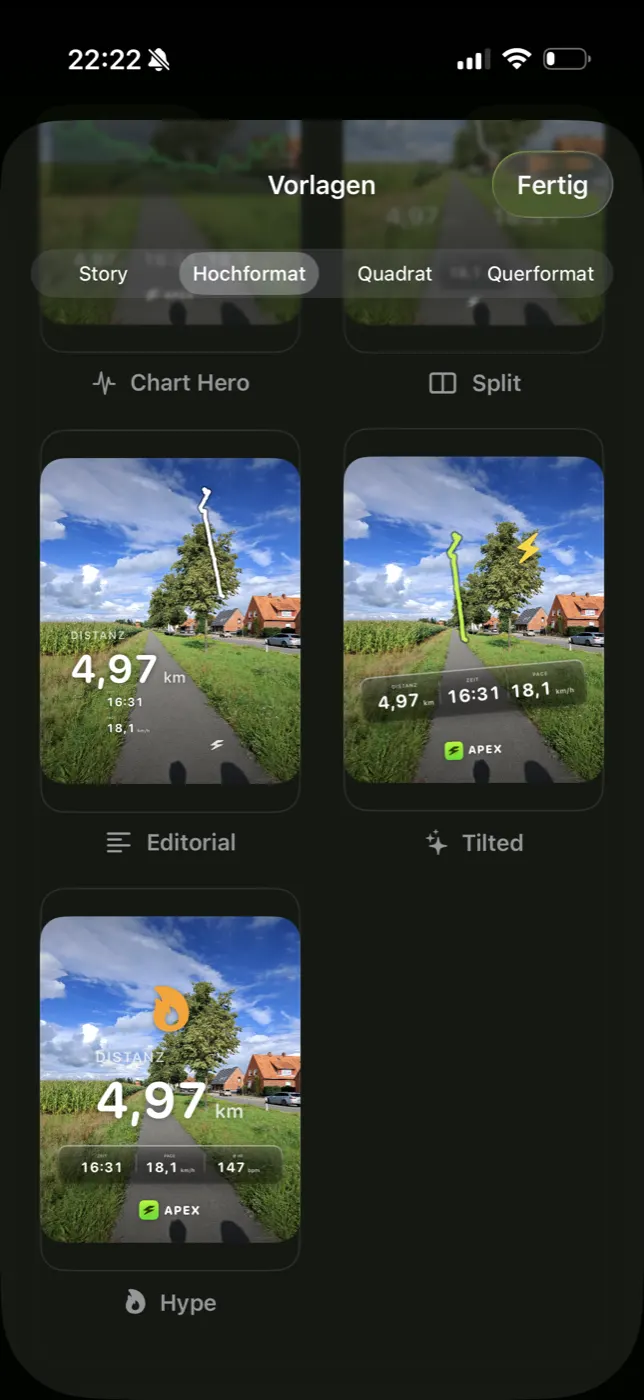
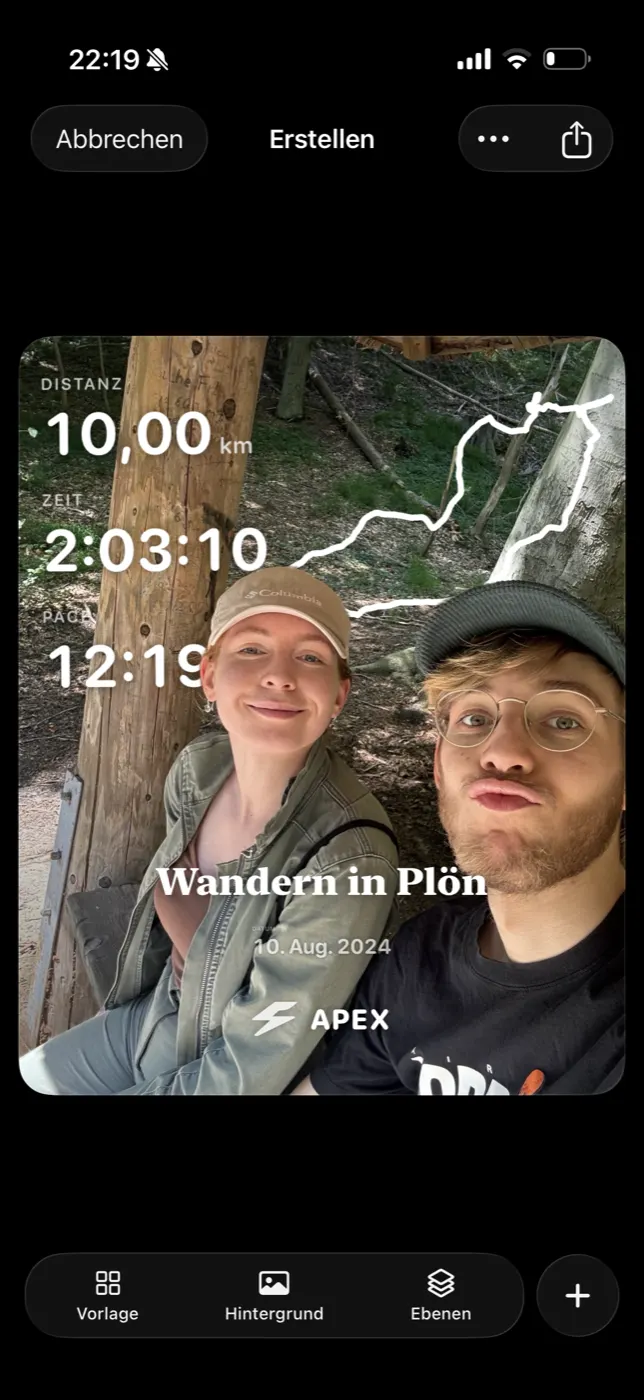
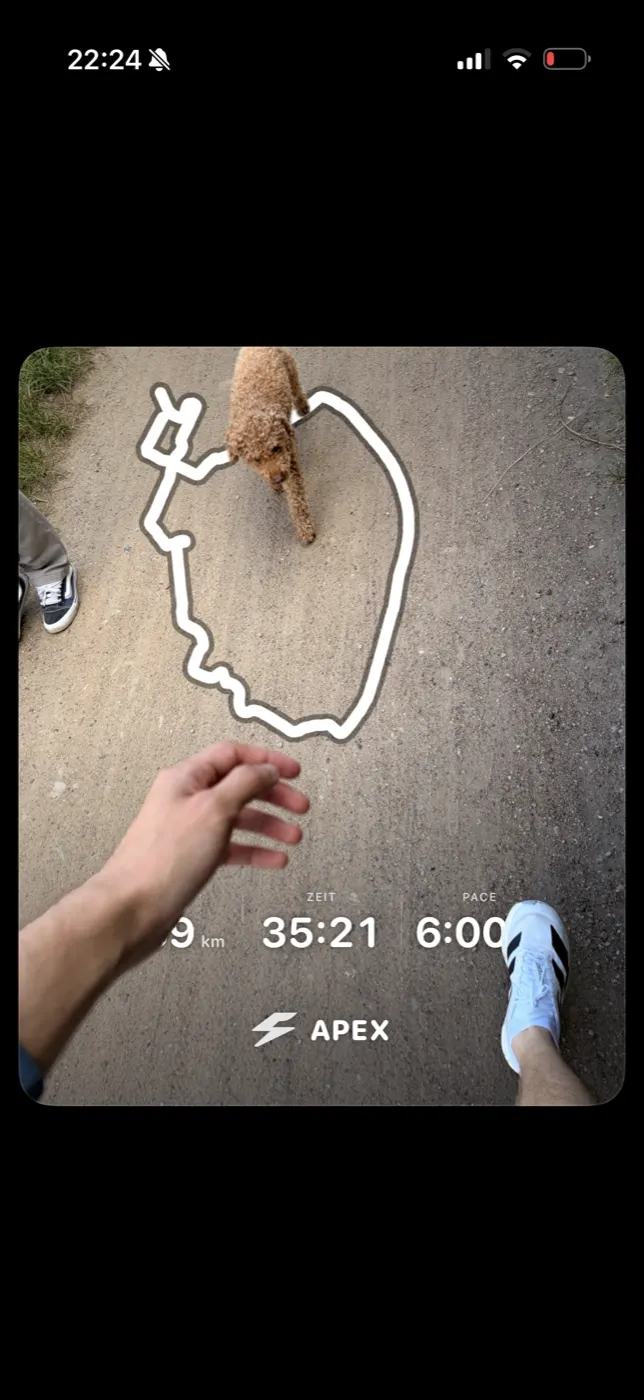
Start from a template. Every workout opens Share Studio as a finished layout — stats, route and photo already composed — then anything on it can be changed.
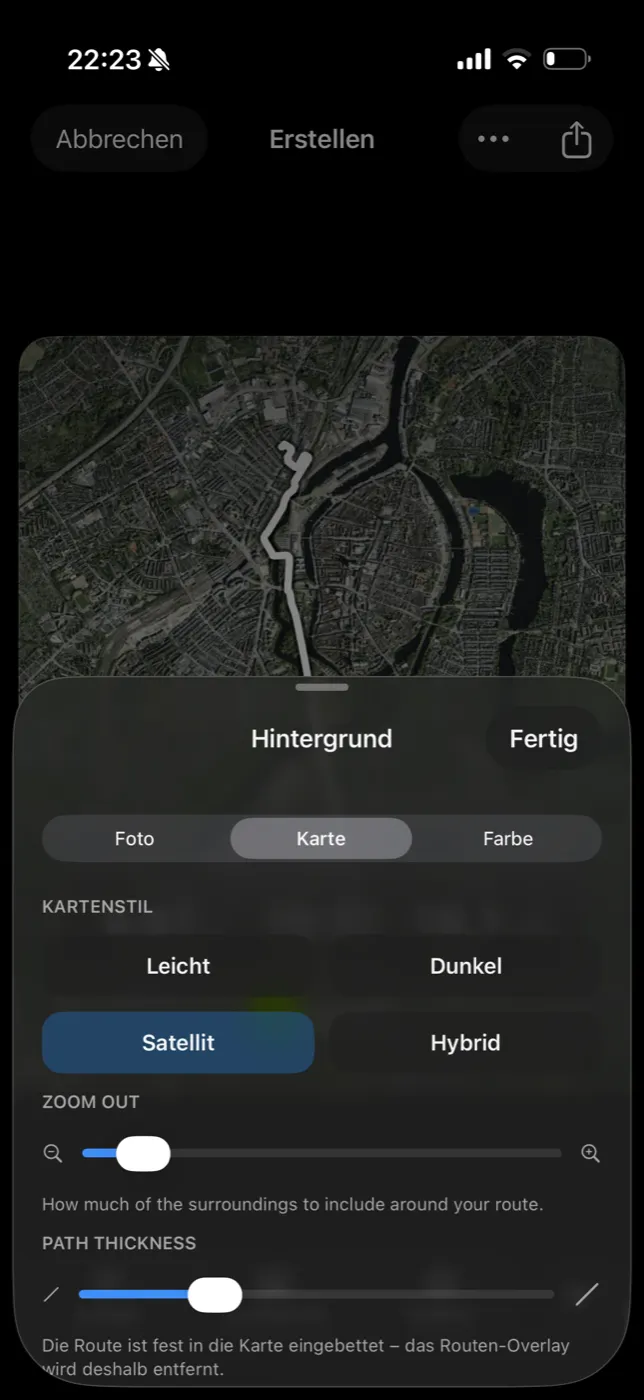
Your photo, your route. Drop in a photo, pick a real map, or go full colour — the route draws right on top, styled to match.
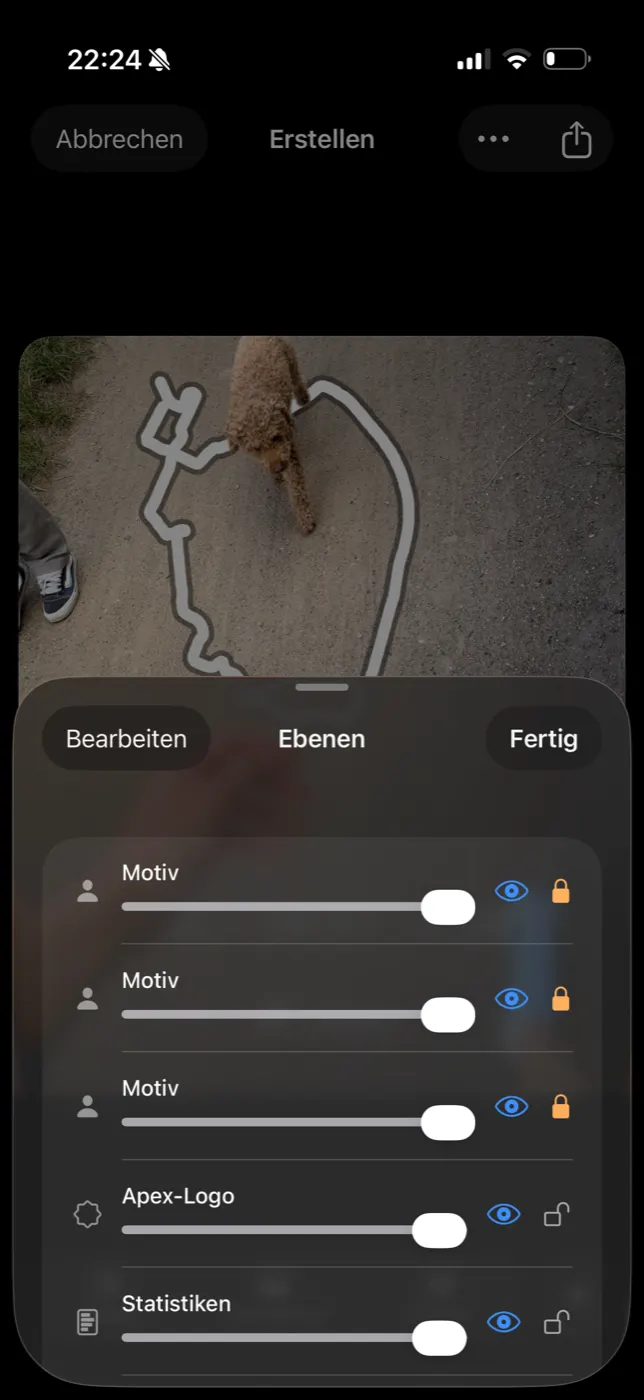
Step out of the picture. Apex lifts the subject off their own photo using on-device subject extraction, so stats and route sit behind them instead of covering them up.
Move anything, anywhere. Drag, pinch, rotate and restack every layer — stats, route, photo, text — until the card looks like it was designed, not generated.
Share it your way. Save to Photos or send it anywhere, rendered at full resolution — a finished card built entirely on-device, no server round-trip.
Rules Three rules every screen follows.
01
The engine is authoritative.
Every number on every screen comes from the deterministic snapshot. The language model gets fact keys, never freedom with values — it can write “your recovery of {recovery}”, never what the recovery is.
02
A reading of its own, not a mirror.
HealthKit is an input. No Move, Exercise and Stand rings, no re-skinned Apple Fitness — if Apple already shows it, Apex adds a reading of its own or leaves it out.
03
Honesty over precision.
Missing data is omitted, never penalised. Forward-looking values are withheld when the history can't support them. Population comparisons name their reference. A bad sleep recording can be told to stop counting.
Deleted, not hidden Working code isn't a reason to ship.
3 SepThe workout plannerBuilder, templates, schedule, AI composer and six data models — about 4,100 lines. Apex explains; it doesn't prescribe.
6 – 9 SepLive trackingThe recorder, the mirrored Watch session, the Live Activity and turn-by-turn directions. Your watch already records; Apex reads what it wrote.
12 SepTrophies and RewindDeleted outright, not unmounted — the systems are gone, not hidden. Apex doesn't do gamification.
12 SepThe onboarding questionnaireTwenty questions — goals, experience, equipment, availability — replaced by what a year of HealthKit already says, shown back as findings.
16 SepThe Watch appWith nothing left to record, the watch target went too.
17 SepThe Training Load pagesAbout 1,500 lines. Load still counts toward readiness; it just doesn't need a screen of its own.
24 SepThe cycle pageReplaced by context on the pages it affects — and gated off until it's validated on real, opted-in histories.
Roadmap Where Apex goes next.
Shipped so far12 / 20
ShippedDecidingNext
Overview and readiness
A 0–10 readiness on Apple's effort scale under one arc, with Recovery, Heart, Sleep, Vitals, Steps, Active Energy, VO₂max and Stress as tiles that open their own pages.
A note from your coach
Four sentences under the arc on what today's readiness is made of and what to do with it — written on your phone, and never the author of a number.
Recovery
Whether today is for pushing or backing off, with the drivers behind the answer laid out — over today, 7, 30 or 60 days.
Heart, Sleep and Vitals
Live heart rate and how fast it settles after effort; a sleep score you can open right up; every overnight measure against what's normal for you.
Stress
A band instead of a falsely precise number — and, when resting stress can't exist, the reason instead.
Archive and Search
Every workout from every source, in a gallery that zooms like Photos, a landscape cover-flow deck, side-by-side compare, trim and hide — and a search built like Apple Music's.
Your gear, tracked
Bikes, shoes and watches, put on workouts by hand or by a rule like every ride is on the Canyon, with the distance each has covered.
Better rides
Paste a komoot link to follow a tour; ride with a Varia radar and watch traffic behind you on the arc, then see every pass in the workout afterwards.
Share Studio
Turn a finished workout into something worth posting: your photo, your route and your stats, arranged however you like.
Weather
An immersive sky you can scrub through the day, and whether it suits the session you had in mind.
Widgets
Readiness and Recovery on the Lock Screen, and the arc itself on the Home Screen.
In your language
Fully translated into English, German and French.
Cycle context
Personal cycle patterns folded into the Recovery, Heart and Sleep references — built, explained on every page it touches, and switched off until it's validated on real, opted-in histories.
Apex Age
The body-age model still runs. Its tab was parked when the app went to two tabs; it comes back where it reads as a reading, not a gimmick.
Food tracking
A complete food log exists and stays hidden. Logging every meal by hand is the opposite of reading what's already there.
The 3D route flight
A camera that dives to the start and chases the terrain. Built and tested — the open question is taste. It gets signed off or cut; the flag isn't a resting place.
A coach you can talk to
The conversation behind the chat bar — multi-turn, voice, answers drawn as charts — exists. It needs a way in from the new Overview and a memory that survives a relaunch.
A proactive layer
A nudge when something actually changed, not a notification because it's eight in the morning.
Fresh without opening the app
Daily rollups with persisted baselines, and background updates beyond the handful the widgets already get.
Your data on every device
CloudKit sync and a real migration story — required before anyone's history matters.